 TableGrip
AI agent
AI agent
Ask questions about your database in plain language, get SQL written and errors fixed, using the agent you already have.
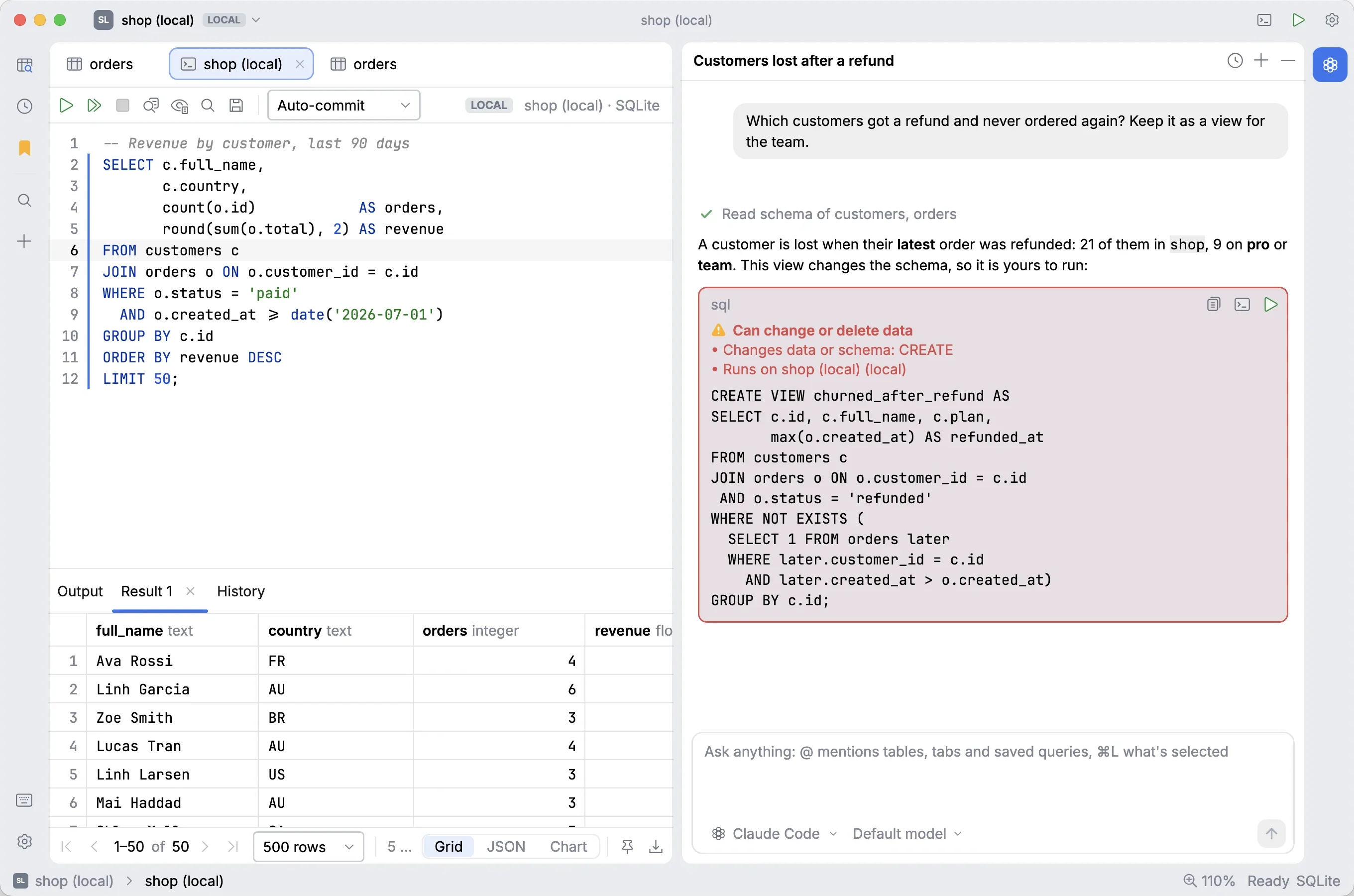
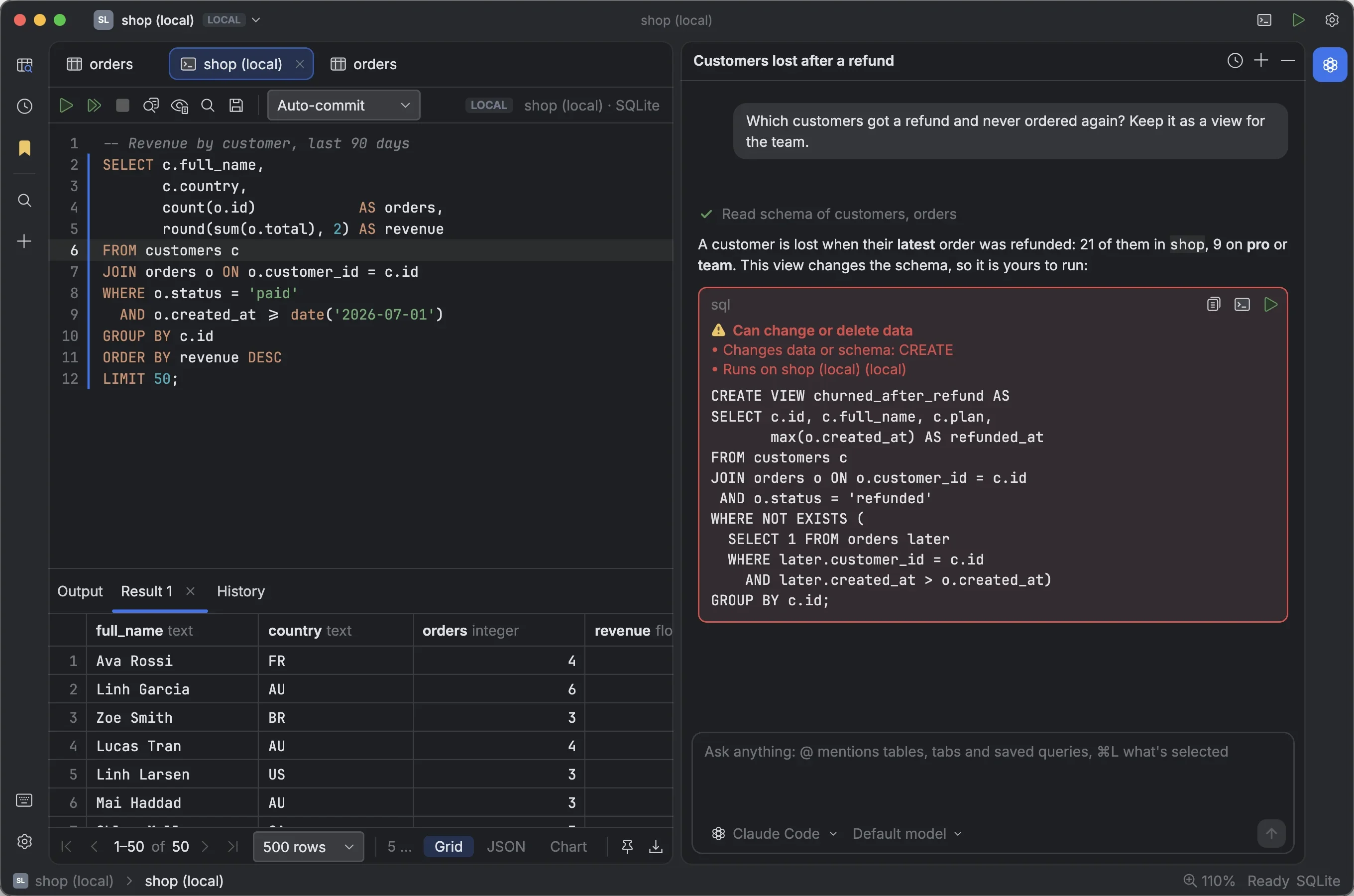
The agent chat sits on the right of the window. Ask it to write a query, explain a schema or fix an error. It sees the current connection's schema and the open console, so its answers fit your database instead of a generic one.
Press ⌘ 3 to show or hide it, or click Agent in the tool stripe.
#Choose where answers come from
TableGrip doesn't ship a model of its own. It uses one of two sources, set in Settings → Agent under Agents from.
#Command-line agents (the default)
If you already use an AI coding agent in the terminal, TableGrip finds it on your PATH and uses it, with your
existing login and subscription:
| Agent | Command |
|---|---|
| Claude Code | claude |
| Codex | codex |
| Gemini CLI | gemini |
| Cursor Agent | cursor-agent |
| Grok | grok |
| OpenCode | opencode |
| Antigravity | agy |
| Pi | pi |
| Hermes | hermes |
Every agent is started in its read-only or "ask" mode, so it can only answer, never edit files or run commands.
TableGrip runs every query itself. Agents run in their own working folder, ~/.tablegrip/agent/.
Installed a new agent while TableGrip was open? Open the agent picker at the top of the chat → Rescan installed agents. If none is found, the chat says No agent found and links to Or use an API provider….
#API provider
Prefer an API key? Set Agents from to API provider:
| Setting | Options |
|---|---|
| Protocol | Anthropic, or OpenAI-compatible (also OpenRouter, LiteLLM, Ollama, LM Studio, vLLM…) |
| Base URL | Leave empty for the protocol's default (https://api.anthropic.com or https://api.openai.com/v1), or point it at your gateway or local server |
| Model | Leave empty for the default, or type a model id |
| API key | Saved in the system keychain, never in settings.json, and never shown again. Without one, ANTHROPIC_API_KEY or OPENAI_API_KEY from the environment is used. |
The model picker in the chat lets you switch models per agent; your choice is remembered.
#Asking questions
Type in the box at the bottom and press ↩. Some things to try:
- "Which customers ordered more than three times last month?"
- "Explain how orders, order_items and products relate."
- "Why is this query slow?" (with the console's query mentioned)
- "Write a migration that adds a
shipped_atcolumn to orders."
#Mention things with @
Type @ to pull something specific into the conversation: open tabs, tables, columns and saved
queries. Type orders. to list the columns of orders.
Press ⌘ L to mention what is selected right now: lines of SQL in a console, a table, or cells in the grid. Add to Chat in the console, grid and explorer right-click menus does the same.
#When the agent wants to run a query
Some questions need data to answer ("how many…?"). The agent then asks to run a query, and the chat shows a card with the SQL and two buttons: Decline and Run.
| The query… | What happens when you click Run |
|---|---|
| Only reads, and the connection shares data | It runs in a console you can see, and up to 50 result rows go back to the agent so it can answer. |
| Only reads, but the connection shares no data | It runs in a console for you; nothing goes back to the agent. |
| Changes data or schema | It is only opened in a console, for you to review and run yourself. |
Nothing runs without your click. Every SQL block in an answer also has Copy, Open in console and Run in console. Running a block that could change or delete data asks first with Run Query from Agent?.
#Fixing errors
When a statement fails in a console, the error bar offers Fix with AI and Ask in chat. The fix comes back as a diff that you apply, or apply and run. See SQL editor → Fixing errors.
#Charts from a sentence
In a result's Chart view, describe the chart you want, for example "revenue by month", and the agent sets it up.
#Conversations
- New chat starts over; Chat history lists earlier chats, with search, Rename and Delete.
- Retry asks again for an answer. Rewind to here removes a message and everything after it, so you can edit and resend.
- Chats are saved in
~/.tablegrip/chats/, one file per chat. - Settings → Startup & Layout → Agent chat decides whether the panel opens at start: Closed, Open, or as last time.
#Privacy in short
By default the agent sees your schema, SQL and error messages, never the values in your tables. You can turn sharing off entirely, or allow sample data, per app or per connection. Read What the agent can see before you connect it to production.